
Kit fundamentals
Lens Mounts, Focal Length and Stabilization
Start with the exact camera and lens, not a familiar brand name. Physical attachment, electronic operation and image coverage are separate compatibility checks. Stabilization adds another system-specific question; it is not a promise that every photograph will be sharp.
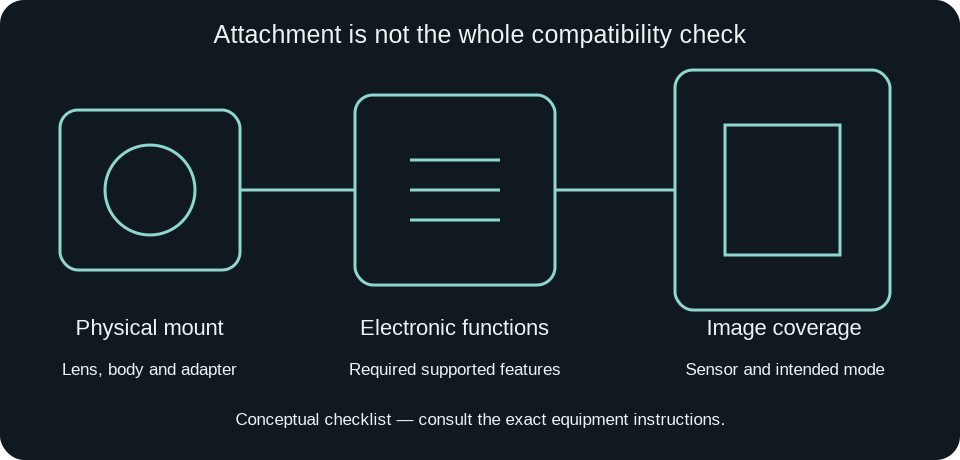
The mount is only the first check
Identify the camera's full model and mount designation, then compare them with the lens maker's compatibility information. A lens that can physically attach may still have restrictions on autofocus, aperture control or other electronic functions. An adapter introduces another component whose own supported combinations and limitations need checking.
Do not turn a shared brand name into a compatibility claim. Record the body, lens and adapter, if any, as a complete combination. If the maker does not support the intended feature, leave that feature out of the recommendation.
Sensor coverage and framing
Check whether the lens covers the camera's sensor in the intended mode. A body may use a cropped mode with some combinations; confirm the behavior in its instructions. The focal length marked on a lens does not change because it is used on a different sensor. Equivalent focal length is a way of comparing field of view, not a different physical focal length or a claim about lens quality.
Choose a framing target before comparing numbers. A view suited to a small room, a distant subject or a tabletop detail may demand different working distances. Also check the lens's stated focusing range rather than assuming a longer focal length can focus close enough for your setup.
Stabilization is a system feature
Determine whether stabilization is in the lens, body or both, and consult the maker's instructions for the exact supported combination. Do not assume every pairing coordinates the two systems. Use the specified operating modes and any tripod-related guidance for that equipment.
Stabilization does not establish that a moving subject will be sharp, that focus is correct or that every exposure time is practical. A support's advertised load rating likewise says little about the sharpness of a particular photograph. Keep those claims separate.
Before choosing a lens
- Confirm the exact body and lens mount designations.
- Check supported autofocus, aperture and other required functions.
- Check sensor coverage and any crop-mode behavior.
- Confirm focusing distance and the working space around the subject.
- Read the stabilization guidance for the exact combination and shooting setup.
- Include the lens's dimensions, mass and balance in bag and support checks.
An unresolved compatibility detail is a reason to verify that combination, not to substitute an assurance based on the product name.